Step 2 · Secure your sats

Bitcoin hardware wallets for Australian beginners

Mining earns you sats. A hardware wallet keeps them yours. Here are five good options, side by side, with honest pros and cons and prices read from each maker's official store on 2 Nov 2026.

Why, after mining?

Your pool pays to a Bitcoin address. If that address belongs to an exchange or app, they hold your coins and can freeze, lose or be hacked out of them. Point your payouts at an address from your own wallet instead.

What is self-custody?

Holding your own keys, the secret that lets you spend your bitcoin. "Not your keys, not your coins." A hardware wallet keeps that secret on a small device that never connects your keys to the internet.

What a hardware wallet does

Your phone or computer prepares a payment; the device shows you the amount and address on its own screen and signs it only when you press the button. Malware on your laptop can't sign for you.

At a glance

WalletSource ?ScreenConnects byFrom (AUD) ?
Trezor Safe 3 / Safe 5
The original open-source hardware wallet
OpenSafe 5: colour touchscreenUSB-C$84
BitBox02 (Bitcoin-only edition)
Swiss-made, open source, Bitcoin-only option
OpenSmall display, touch slidersUSB-C (Nova: + Bluetooth)≈ $237
Ledger Nano S Plus / Nano X / Flex
The best-known brand, with a closed-source chip
ClosedYes (Flex: touchscreen)USB-C; Nano X and Flex add Bluetooth≈ $98
Blockstream Jade / Jade Plus
Cheap, open source, Bitcoin-only
OpenColour screen + cameraUSB-C, QR codes, Bluetooth$97
Tangem Wallet (2 or 3 cards)
The easiest: tap a card on your phone
ClosedNo screen on the cardNFC tap on your phone≈ $85

Prices checked 2 Nov 2026, 2:45 am AEDT. FX: Frankfurter (European Central Bank reference rates), rates of 2026-10-30. Your bank may add a currency conversion fee.

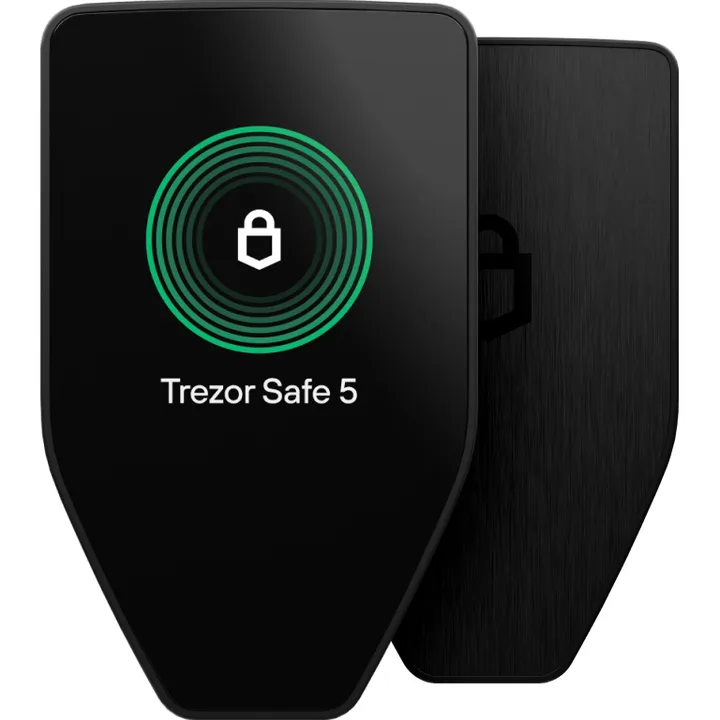
Trezor Safe 5 (official image, trezor.io)
The original open-source hardware wallet

Trezor Safe 3 / Safe 5

Open sourceBitcoin-only option

Who it's for: Most beginners. The Safe 3 is the best-value open-source pick; the Safe 5 adds a colour touchscreen that's nicer to use.

SatoshiLabs, Prague, Czech Republic. Trezor made the first consumer hardware wallet in 2014.

Open-source firmware and hardware designs. The Safe 3 and Safe 5 add a secure element chip while keeping the wallet firmware open.

Bitcoin-only firmware available (multi-coin by default).

Pros

  • Open-source firmware with a long public track record
  • Safe 3 is one of the cheapest secure-element wallets from a major maker
  • Trezor's own store shows prices in AUD
  • Optional multi-share backup (split your recovery into several pieces)
  • Trezor Suite app is beginner-friendly, and it works with Sparrow and other Bitcoin wallets

Cons

  • Ships from the EU; GST and any duties are collected by the courier on delivery (Trezor's support page)
  • Safe 3's small screen and two buttons feel fiddly next to the Safe 5
  • Multi-coin unless you install the Bitcoin-only firmware
Trezor Safe 3$84
AUD price on official store
Trezor Safe 5$177
AUD price on official store

Official store price, checked 2 Nov 2026, 2:45 am AEDT. Excludes shipping, import GST and duties unless the store says otherwise.
Ships to Australia. The checkout price excludes import GST and duties, which DHL/UPS may collect on delivery. [1] [2]

Sources: [1] [2]

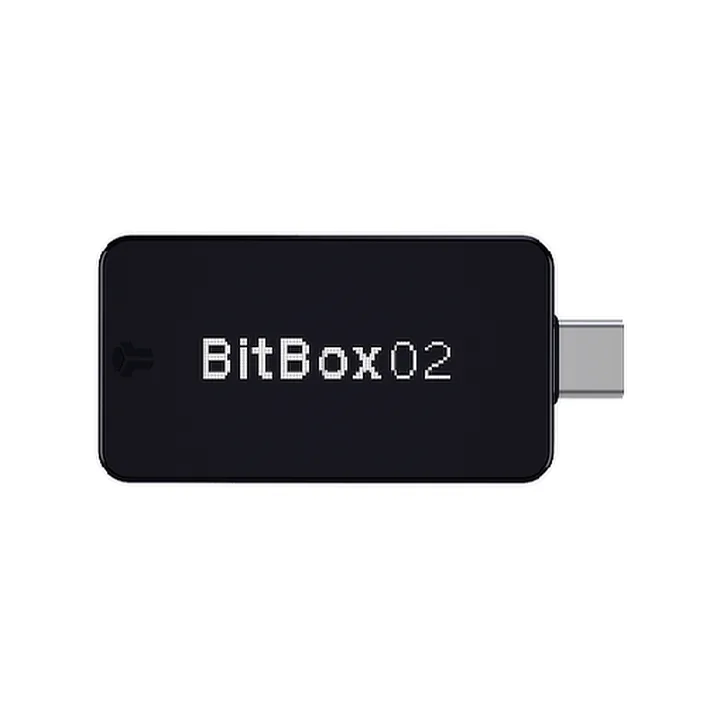
BitBox02 (official image, bitbox.swiss)
Swiss-made, open source, Bitcoin-only option

BitBox02 (Bitcoin-only edition)

Open sourceBitcoin-only option

Who it's for: Bitcoiners who want a simple, Bitcoin-only device and a tidy app. The Nova version adds a glass display, optional Bluetooth and iPhone support.

BitBox AG (formerly Shift Crypto), Zurich, Switzerland.

Open-source firmware with a secure chip that holds your keys. BitBox publishes reproducible builds.

Sold as a separate Bitcoin-only edition (it can't be converted later), which strips out other coins to reduce what can go wrong.

Pros

  • Genuine Bitcoin-only edition
  • Backs up to the included microSD card, with the option to write down the 24 words too
  • Small, plugs straight into USB-C (and Android phones)
  • BitBox says duties and taxes are included at checkout for most countries

Cons

  • Priced in euros; our AUD figure is a conversion
  • The original BitBox02 doesn't work with iPhone (the Nova does)
  • Touch sliders take a minute to get used to
BitBox02 Bitcoin-only≈ $237
converted from €149
BitBox02 Nova Bitcoin-only≈ $278
converted from €175

Official store price, checked 2 Nov 2026, 2:45 am AEDT. Excludes shipping, import GST and duties unless the store says otherwise.
Ships from Switzerland by UPS Express Saver (about 3–4 business days to the rest of the world). Duties are prepaid for most countries; check the checkout shows "Duties & taxes: included" for Australia. [1]

Sources: [1] [2]

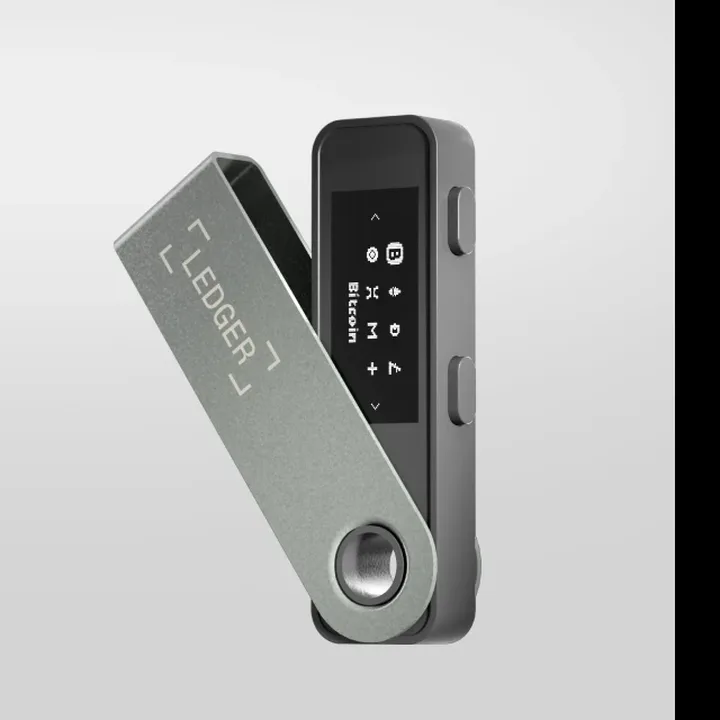
Ledger Nano S Plus (official image, ledger.com)
The best-known brand, with a closed-source chip

Ledger Nano S Plus / Nano X / Flex

Closed-source firmware

Who it's for: People who also hold other coins and want a polished phone app, and who are comfortable trusting Ledger's closed firmware.

Ledger SAS, Paris, France. The most widely sold hardware wallet brand.

Apps and parts of the software are open source, but the operating system that runs on the secure element chip is closed source, so outsiders can't fully audit what it does with your keys.

Multi-coin (thousands of coins and tokens).

Pros

  • Very polished Ledger Live app on desktop and phone
  • Nano X and Flex have Bluetooth for phone use
  • Supports Bitcoin plus a huge range of other assets
  • Works with Bitcoin wallets such as Sparrow

Cons

  • Secure-element firmware is closed source
  • Ledger Recover (2023) showed firmware updates can, with your consent, export an encrypted copy of your seed
  • A 2020 breach of Ledger's customer database exposed buyers' emails and, for many, home addresses, which led to years of phishing
  • Multi-coin focus means more code than a Bitcoin-only device
The 2023 Ledger Recover controversy, in plain English
What happened and what it means for you

In May 2023 Ledger announced Ledger Recover, an optional paid service. If you subscribe and approve it on the device, the secure element encrypts your private key material, splits it into three encrypted shares and sends them to Coincover, Ledger and EscrowTech; any two can rebuild it once you pass identity checks. Many users had understood that the seed could never leave the device. Ledger replied that the service is opt-in, needs your approval on the device, and that a signed firmware update could "technically" always have extracted keys, which is true of any wallet whose firmware you can't inspect. After the backlash Ledger delayed the launch (it went live in October 2023) and promised to open-source more of its code. If you never subscribe, Recover does nothing.

Sources: [1] [2] [3]

Ledger Nano S Plus≈ $98
converted from US$69
Ledger Nano X≈ $141
converted from US$99
Ledger Flex≈ $354
converted from US$249

Official store price, checked 2 Nov 2026, 2:45 am AEDT. Excludes shipping, import GST and duties unless the store says otherwise.
Ships to Australia, standard delivery about 6–8 business days; import charges may apply. [1]

Sources: [1] [2] [3] [4]

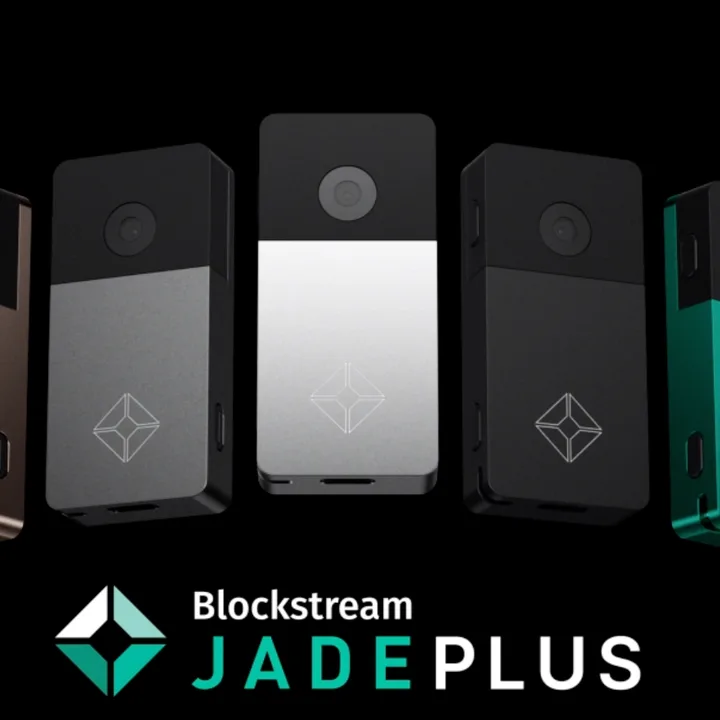
Blockstream Jade Plus (official image, blockstream.com)
Cheap, open source, Bitcoin-only

Blockstream Jade / Jade Plus

Open sourceBitcoin-only optionNo affiliate programme

Who it's for: Budget-minded Bitcoiners and tinkerers. The camera lets you sign by scanning QR codes, so the wallet never needs to plug into a computer.

Blockstream, a Bitcoin infrastructure company (Canada/US).

Fully open-source firmware. Instead of a secure element chip, Jade uses a "virtual secure element": your PIN is checked with a blind oracle server (Blockstream's by default, or one you run yourself).

Bitcoin-only (plus Bitcoin's Liquid sidechain).

Pros

  • One of the cheapest open-source hardware wallets
  • Built-in camera for air-gapped QR signing
  • Works with Sparrow, Blockstream's own app, Nunchuk and others
  • Jade Plus has a bigger screen and nicer buttons

Cons

  • PIN unlock relies on an oracle server (Blockstream's unless you host your own)
  • Less polished for total beginners than Trezor or BitBox
  • Blockstream quotes 2–4 weeks for international delivery, and you pay import charges
Blockstream Jade$97
store's own AUD price
Blockstream Jade Plusfrom $216
store's own AUD price

Official store price, checked 2 Nov 2026, 2:45 am AEDT. Excludes shipping, import GST and duties unless the store says otherwise.

Ships internationally (2–4 weeks); the buyer pays import duties. The store showed free international shipping on Jade Plus as a limited-time offer when we checked. [1]

Sources: [1] [2]

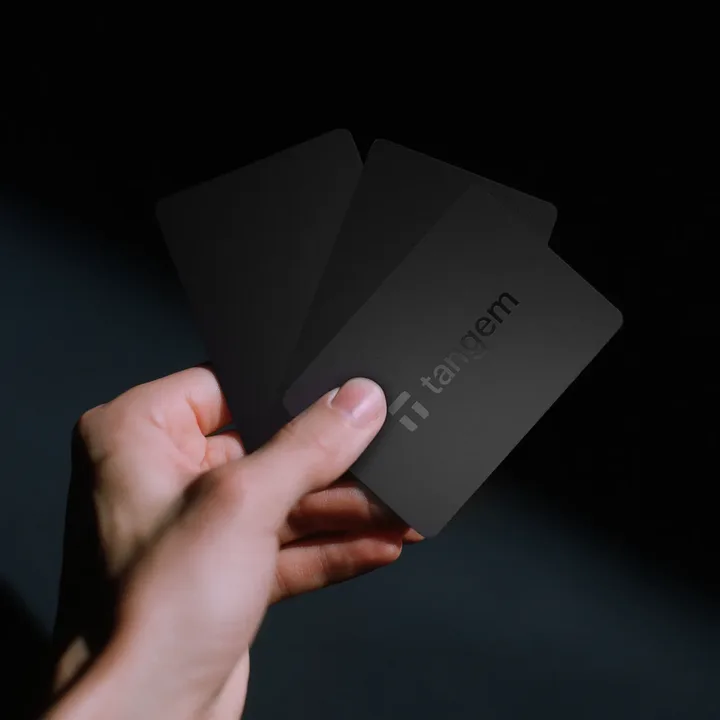
Tangem Wallet card (official image, tangem.com)
The easiest: tap a card on your phone

Tangem Wallet (2 or 3 cards)

Closed-source firmware

Who it's for: Absolute beginners, or a family member who will never plug in a cable. You tap a credit-card-sized NFC card on the back of your phone to approve payments.

Tangem AG, Switzerland.

The card firmware is closed source (Tangem says it was audited by Kudelski Security in 2018). The phone app and SDK are open source.

Multi-coin.

Pros

  • No cables, batteries or charging: tap the card on your phone
  • Comes as a set of 2 or 3 identical cards that back each other up
  • Optional no-seed-phrase setup, so there are no words to lose or have stolen
  • Waterproof, wallet-sized and cheap

Cons

  • Card firmware is closed source
  • No screen on the card: you rely on your phone to show what you're signing
  • Without a seed phrase, losing every card means losing your bitcoin
  • Multi-coin app with lots of extras a Bitcoiner doesn't need
Tangem Wallet (2 cards)≈ $85
converted from US$59.90
Tangem Wallet (3 cards)≈ $100
converted from US$69.90

Official store price, checked 2 Nov 2026, 2:45 am AEDT. Excludes shipping, import GST and duties unless the store says otherwise.

Tangem says it ships worldwide; import GST may apply. [1]
Tangem's referral programme gives buyers 10% off. Our referral link isn't set up yet, so this is a plain link.

Sources: [1] [2]

Seed phrase safety

The six rules that matter most

When you set up any of these wallets it shows you a list of words (your seed or recovery phrase). Lose the device and those words get your bitcoin back. Lose the words and the device, and nobody can help you.

Buy new, from the official store only

  • Never buy a hardware wallet second-hand, or from eBay, Facebook Marketplace, Gumtree or third-party sellers on Amazon. A tampered device can steal everything you put on it.
  • Never use a device that arrives with recovery words already filled in or a "PIN card" in the box. Real wallets always make you generate new words yourself. If that happens, stop and contact the maker.
  • A local Australian reseller can be fine, but only if it appears on the maker's own authorised-reseller list. Check that list on the maker's site, not the reseller's.
  • Run the device's genuine check in its official app when you set it up, and only download apps from the maker's own website.

Which should I get?

Mostly holding the bitcoin you mine? An open-source, Bitcoin-only device is the simplest and safest: a Trezor Safe 3, a BitBox02 Bitcoin-only or a Jade. Want the easiest possible setup for someone non-technical? Tangem. Hold lots of other coins and love a slick app? Ledger, knowing its chip firmware is closed.

Disclosure

Some of these makers run affiliate or referral programmes. None of our links are affiliate links yet. If we add them they'll be labelled, they'll never change our verdicts, and Blockstream (which we list with no programme) gets the same treatment as everyone else. Prices come from official stores and are never guessed. Not financial advice. Full disclosure.

Getting started

Where this fits

Mine, then secure, then verify. Each step stands on its own, so go at your own pace.

  1. Step 1MinePick a small home miner and start earning (or chasing) sats.
  2. Step 2Secure your sats You are hereSend what you mine to a hardware wallet that only you control.
  3. Step 3Run your own nodeVerify your own bitcoin, protect your privacy, and build your own block templates.

Get the good bits, fortnightly-ish

Price drops on beginner miners in Australia, new solo-block winners, and plain-English explainers. No hype, unsubscribe any time.